
The Pinnacle Guide to Home Office Lighting Design: Technical Photometrics, Ergonomics, and Video Conferencing Standards
1. Introduction: The Luminance Imperative in the Hybrid Era
The paradigm shift toward remote and hybrid work models has irreversibly altered the professional landscape. The home office, once a secondary space for evening administration or weekend projects, has evolved into the primary node of global business communication. In this new reality, the webcam lens acts as the digital proxy for the boardroom table, and lighting serves as the fundamental medium through which professional presence is projected. It is no longer merely about illumination; it is about information transmission, non-verbal communication, and physiological sustainability.
This report serves as an exhaustive technical tutorial and strategic guide for professionals seeking to master the photometrics of their domestic workspace. It is designed for the experienced professional—the executive, the consultant, the developer, and the digital creator—who recognizes that in a video-first economy, perception is reality. We will dismantle the physics of light, explore the biology of the human eye, dissect the limitations of digital sensors, and provide rigorous comparative analyses of the market’s leading hardware solutions.
The objective is to elevate the home office setup from a utilitarian necessity to a broadcast-grade environment that enhances focus, reduces cognitive load, and projects authority. We will navigate the complexities of Color Rendering Indices (CRI) versus Television Lighting Consistency Indices (TLCI), the ergonomic necessity of bias lighting to combat Computer Vision Syndrome (CVS), and the precise geometric configurations required to eliminate the “spectral artifacts” that plague amateur setups.
2. Fundamental Photometrics: The Physics of Light in Domestic Spaces
To architect a superior lighting environment, one must first grasp the physical properties of light behavior. The common consumer error is selecting lighting based on wattage (energy consumption) or generic “brightness,” ignoring the immutable laws of physics that dictate how light travels, spreads, and decays over distance.
2.1 The Inverse Square Law and Spatial Decay
The most critical principle in lighting design, particularly for video conferencing, is the Inverse Square Law. This physical law states that the intensity of radiation—in this case, light—is inversely proportional to the square of the distance from the source.
$$I = \frac{L}{d^2}$$
Where $I$ is intensity (measured in lux), $L$ is the luminous flux (lumens), and $d$ is the distance from the source.
In the context of a home office, the implications are profound and often counterintuitive. If a user positions a light fixture 1 meter away from their face, they receive a specific intensity of light. If they move that fixture to 2 meters away to “save desk space,” they do not receive half the light; they receive one-quarter of the intensity. Conversely, moving a light from 1 meter to 0.5 meters increases the intensity by a factor of four.
This nonlinear relationship explains why ceiling lights (often 2-3 meters from the subject) fail to provide the requisite photon density for small-sensor webcams, resulting in grainy, noise-filled video feeds regardless of the bulb’s lumen rating.1 The camera sensor, starved of photons, must digitally amplify the signal (Gain/ISO), introducing visual noise. A “pinnacle” setup leverages this law by positioning sources within the “near-field” (0.5m – 1.2m), allowing for lower power consumption, reduced heat, and higher quality light on the subject.
2.2 Distinguishing Luminous Flux from Illuminance
Precision in terminology prevents costly purchasing errors.
| Metric | Unit | Symbol | Definition | Home Office Application |
| Luminous Flux | Lumen | lm | The total quantity of visible light emitted by a source in all directions. | Indicates the raw power of a fixture (e.g., Elgato Key Light = 2800 lm).3 |
| Illuminance | Lux | lx | The intensity of light falling on a specific surface area (one lumen per square meter). | The metric that matters for the camera sensor and eye reading tasks. A workspace surface typically requires 500 lx.4 |
| Luminous Intensity | Candela | cd | The power of light emitted in a specific direction/angle. | Relevant for beam angle focus; less critical for soft, diffused video lighting. |
A 2800-lumen light fixture (high flux) creates insufficient illuminance (low lux) if placed too far away or modified by heavy diffusion without distance compensation.
2.3 The Quality of Light: Hard vs. Soft Photons
The aesthetic quality of a video image is determined not by the quantity of light, but by its “hardness” or “softness.”
- Hard Light: Produced by a small relative light source (e.g., a bare bulb, a smartphone flash, direct sun). It creates sharp, defined shadows and highlights skin texture, wrinkles, and imperfections.
- Soft Light: Produced by a large relative light source (e.g., a large softbox, cloudy sky, light bounced off a white wall). It wraps around the subject, filling in micro-shadows (pores, wrinkles) and creating a flattering, professional appearance.5
The Diffusion Imperative: In home offices, space for large softboxes is rare. Manufacturers like Elgato and Godox solve this via Edge-Lit Technology. Instead of a bulb facing forward, LEDs fire sideways into a light-guide plate, which then directs light through a diffuser. This turns the entire panel surface into the light source, increasing its relative size and softness without the bulk of a traditional softbox depth.7
3. Color Science: The Intersection of Biology and Technology
Light is electromagnetic radiation, and its spectral composition affects both the biological machinery of the human user and the silicon machinery of the webcam.
3.1 Correlated Color Temperature (CCT) and Circadian Entrainment
The color of white light is measured in Kelvin (K). This is not merely an aesthetic choice; it is a biological control mechanism. The human circadian rhythm is entrained by the blue spectrum of light (approx. 460-480nm), which stimulates Intrinsically Photosensitive Retinal Ganglion Cells (ipRGCs). These cells signal the suprachiasmatic nucleus to suppress melatonin (sleep hormone) and release cortisol (alertness hormone).
- Warm White (2700K – 3000K): Low blue content. Mimics sunrise/sunset or firelight. Promotes relaxation. Ideal for evening wind-down but poor for midday cognitive focus or accurate video rendering, often casting a “sallow” or orange tone on skin.9
- Neutral White (3500K – 4500K): The standard for “friendly” corporate environments. It balances alertness with visual comfort. For video calls, 4000K-4500K is often the “sweet spot” for rendering skin tones naturally without the harshness of daylight.11
- Cool White / Daylight (5000K – 6500K): High blue content. Mimics solar noon. Maximum melatonin suppression. Research indicates this range optimizes cognitive performance, alertness, and error reduction in detailed tasks.12
The Tunable Requirement:
A static lighting setup is biologically incongruent with a 12-hour workday. The advanced home office demands Bi-Color (Tunable White) fixtures.
- 08:00 – 16:00: Set lights to 5500K to maximize focus and wakefulness.
- 16:00 – 18:00: Transition to 4000K to reduce eye strain and signal the workday’s end.
- 18:00+: Shift to 2700K-3000K to protect melatonin production for sleep hygiene.10
3.2 Color Fidelity: CRI vs. TLCI vs. TM-30
Understanding the metric of color accuracy is where professional setups diverge from consumer attempts.
Color Rendering Index (CRI)
CRI measures how accurately a light source reveals colors compared to a reference source (like the sun). It averages the performance across 8 pastel color samples (R1-R8).13
- The Flaw: CRI ignores saturated colors, specifically R9 (Saturated Red). Human skin tones rely heavily on the red spectrum (blood flow). A cheap LED can have a CRI of 90 but an R9 of negative value, causing skin to look sickly, green, or gray on camera.14
Television Lighting Consistency Index (TLCI)
Developed by the European Broadcasting Union (EBU), TLCI is superior for video applications. While CRI mimics the human eye’s response, TLCI mimics the spectral response of a standard 3-chip broadcast camera sensor.13
- The Difference: An LED light might look “white” to the eye (High CRI) but produce weird color casts on a webcam (Low TLCI) because the camera sensor’s Bayer filter reacts differently to the specific “spikes” in the LED spectrum (specifically the blue pump and phosphor gap).
- The Standard: For “pinnacle” home office lighting, disregard general consumer bulbs. Look for fixtures with TLCI > 95. The Godox ES45 specifically touts a TLCI of 97, ensuring that skin tones require zero post-production correction.17
4. The Human Factor: Ergonomics, Neurodiversity, and Psychology
Lighting design must account for the biological organism sitting in the chair.
4.1 Computer Vision Syndrome (CVS) and Bias Lighting
CVS affects up to 90% of computer users, manifesting as headaches, blurred vision, and dry eyes. A primary exacerbator is the contrast ratio between a bright monitor (200-300 nits) and a dark wall behind it. The eye’s iris muscles constantly expand and contract as the user glances between the bright screen and the dark periphery, leading to fatigue.4
The Solution: Bias Lighting
Bias lighting involves placing a light source behind the monitor to illuminate the wall. This raises the ambient luminance of the field of view, reducing the contrast ratio.
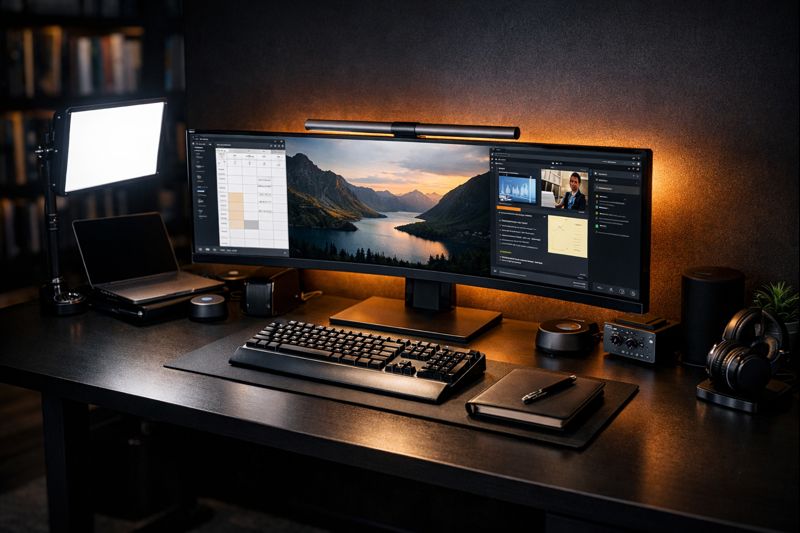
- Implementation: The BenQ ScreenBar Halo integrates a rear-facing light specifically for this purpose.19Alternatively, generic LED strips (CRI >90) attached to the monitor back panel can suffice.
4.2 Neurodiversity and Sensory Processing
For neurodivergent individuals (Autism Spectrum Disorder, ADHD, Sensory Processing Disorder), lighting can be a source of significant dysregulation.
- PWM Flicker: Many budget LEDs control brightness via Pulse Width Modulation (turning the LED on/off thousands of times per second). While “invisible,” this flicker is detected by the brain and can trigger migraines, anxiety, and sensory overload in neurodivergent populations.20
- Spectrum Sensitivity: Hyper-sensitivity to the blue spectrum is common. The ability to shift lighting to warm (2700K) and dim brightness is not a luxury but a functional requirement for accessibility.22
- Recommendation: Verify that all selected hardware is “Flicker-Free” (using Continuous Current dimming). Premium brands like BenQ and Elgato generally adhere to this, whereas budget ring lights often fail.21
4.3 The Psychology of Video: Zoom Fatigue and Dysmorphia
“Zoom Fatigue” is not merely tiredness; it is a cognitive overload caused by the non-verbal decoding required in video calls and the psychological pressure of being “on stage”.23
- The Mirror Effect: The “self-view” feature creates a constant feedback loop where users critique their own appearance (“Zoom Dysmorphia”), increasing anxiety.25
- Lighting as Armor: Proper lighting acts as psychological armor. Knowing one is well-lit and professional reduces the cognitive load of self-monitoring. Once the lighting is dialed in, the recommendation is to hide self-view, trusting the setup to perform.26
5. Hardware Ecosystem Analysis: The Key Light
The “Key Light” is the primary source of illumination for the face. We compare the three dominant ecosystems for the home office professional.
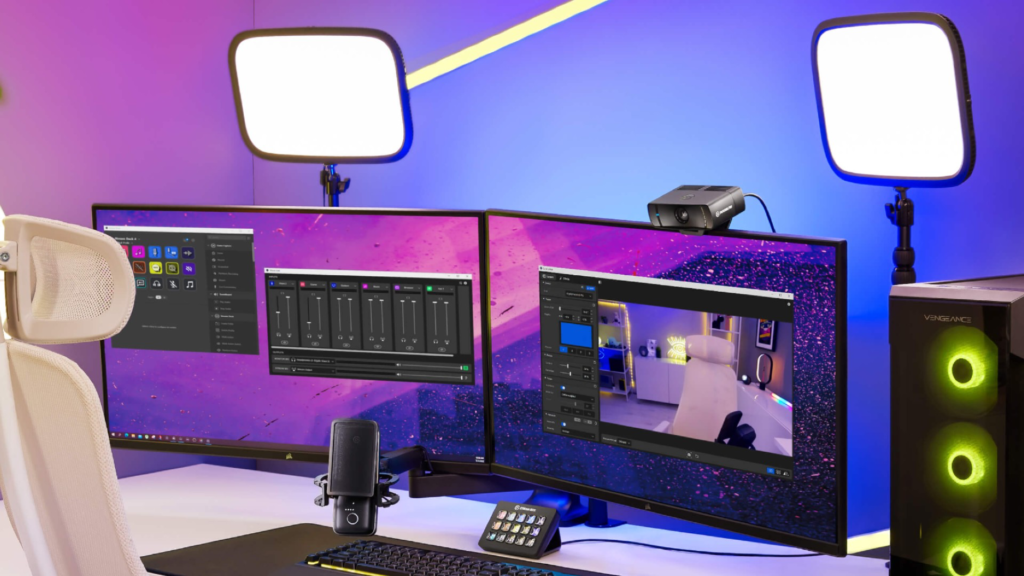
5.1 Elgato Key Light Ecosystem
Owned by Corsair, Elgato focuses on the streamer/gamer demographic but has become the corporate standard due to software integration.
- Hardware Variants:
- Key Light: A large panel (2800 Lumens, 160 OSRAM LEDs). Designed for larger rooms or bouncing light off walls. Desk clamp mount.3
- Key Light Air: A smaller, freestanding unit (1400 Lumens, 80 LEDs). Better for smaller desks but creates slightly “harder” light due to smaller surface area.7
- Pros:
- Stream Deck Integration: The killer feature. Users can program buttons to “Start Meeting” (lights on, 4500K, 60% brightness) or “Focus Mode” (lights dim, 6000K).
- Software Control: Control Center app sits in the taskbar (Mac/Windows). No need to reach behind the light.
- Cons:
- Wi-Fi Reliance: The lights have no physical controls. They connect via 2.4GHz Wi-Fi. If the network is congested or unstable, the lights become uncontrollable bricks. Pairing can be finicky on mesh networks.29
- Plastic Build: The chassis is plastic, which insulates heat more than metal, though thermal management is generally adequate.
- Affiliate Recommendation: Elgato Key Light
5.2 Godox ES45 E-Sports Kit
Godox is a giant in professional photography lighting, and the ES45 brings that DNA to the desk.
- Hardware Specs: 2500 Lumens, CRI 96 / TLCI 97. Metal chassis for superior passive cooling.17
- The “Elgato Killer” Feature: A detachable 2.4GHz physical remote that magnetically docks into the light panel to charge. This remote allows adjustment of brightness and color temperature (2800K-6500K) instantly without installing software or relying on Wi-Fi.31
- Pros:
- Color Quality: The TLCI of 97 is objectively superior to Elgato’s, rendering skin tones with greater nuance and health.33
- Reliability: The proprietary 2.4GHz remote connection is rock-solid and independent of home Wi-Fi issues.
- Value: Often priced competitively against the Key Light Air while offering Key Light (large) performance.
- Cons:
- App UI: The Godox smartphone app is functional but less polished than Elgato’s software.
- Desk Presence: The industrial design is more “tech-heavy” than Elgato’s minimalist approach.
- Affiliate Recommendation: Godox ES45 E-Sports Kit
5.3 Lume Cube Edge Light 2.0
A hybrid solution that attempts to bridge the gap between a task lamp and a video light.
- Hardware: 700 Lumens, Edge-Lit technology, CRI 95+. Multipoint swing arm.8
- Use Case: The head rotates 360 degrees. It can face down to illuminate paperwork (Task Mode) or rotate up to face the user (Video Mode).
- Pros:
- Versatility: Solves two problems with one fixture. Minimal desk footprint.
- Physical Touch Controls: Sliders on the base for brightness and warmth.
- Cons:
- Brightness: At 700 Lumens, it is significantly weaker than the Elgato/Godox options. In a room with a bright window behind the user, the Lume Cube may not be powerful enough to combat the backlight, leaving the face in shadow.35
- Affiliate Recommendation: Lume Cube Edge Light 2.0 on Amazon
5.4 Comparative Analysis Table
| Feature | Elgato Key Light | Godox ES45 | Lume Cube Edge 2.0 |
| Max Output | 2800 Lumens | 2500 Lumens | 700 Lumens |
| Color Fidelity | CRI ~92 | CRI 96 / TLCI 97 | CRI 95+ |
| Control Interface | Wi-Fi / Stream Deck | Physical Remote / App | Touch Base |
| Cooling | Passive (Plastic) | Passive (Metal) | Passive (Metal) |
| Mounting | Pole Clamp | Pole Clamp | Swing Arm Clamp |
| Best For | Stream Deck Users | Color Purists & Reliability | Minimalists / Small Desks |
| Price Tier | Premium ($199) | High Value ($130-$150) | Mid-Range ($120) |
6. Hardware Ecosystem Analysis: The Monitor Light Bar
While key lights handle video presence, the monitor light bar handles focus. It illuminates the immediate work surface (keyboard, notes) without putting glare on the screen or light in the user’s eyes.
6.1 BenQ ScreenBar Halo: The Gold Standard
BenQ invented this category, and the Halo is their flagship.
- Asymmetrical Optical Design: The critical engineering feat. The light is directed inwards towards the desk, cutting off sharply before it hits the screen. This prevents any washout of the monitor’s contrast.36
- Backlighting: The Halo features a rear-facing LED to provide bias lighting (see Section 4.1), making it a comprehensive eye-health tool.19
- Controller: A wireless desktop puck controls brightness, temperature, and mode (front on, back on, both on).
- Compatibility: Includes a specialized accessory for 1000R curved monitors, ensuring stability where other bars slide off.38
- Affiliate Recommendation: BenQ ScreenBar Halo
6.2 Quntis ScreenLinear Pro+: The Value Contender
Quntis offers a functional alternative at a fraction of the cost.
- Performance: ~1200 Lux (claimed), CRI >95. It utilizes an asymmetrical design, though reviews suggest the cutoff line is slightly less precise than BenQ’s, occasionally requiring manual adjustment to avoid screen glare.39
- Control: Comes with a remote, though the build quality is lighter and more plasticky than BenQ’s industrial puck.
- Limitations: Lacks the integrated bias lighting of the standard Halo model (though RGB variants exist). The clamp mechanism is less adaptable to aggressively curved or exceptionally thick monitors.41
- Verdict: For 90% of users, the Quntis is “good enough.” For the perfectionist or those with sensitive eyes requiring perfect bias lighting, BenQ retains the crown.
- Affiliate Recommendation: Quntis Computer Monitor Lamp
7. Cinematographic Techniques: Structuring the Video Call
Owning the gear is step one. Positioning it is step two. We apply the principles of cinema lighting—Key, Fill, and Backlight—to the geometric constraints of a home office.
7.1 The Classic Three-Point Setup (Ideal)
This setup creates dimensionality, separating the subject from the background and modeling facial features to look “3D” on a 2D screen.42
- Key Light: The primary source.
- Position: 30-45 degrees to the right (or left) of the camera, elevated 30-45 degrees above eye level.
- Purpose: Defines the face structure. The elevation pushes shadows down (hiding double chins) and avoids glasses glare (see Section 9.1).
- Fill Light: The secondary source.
- Position: Opposite the key light.
- Intensity: Set to 50% of the Key Light (2:1 Ratio). This softens the shadows created by the Key without eliminating them, preserving depth. A 1:1 ratio creates “flat” corporate lighting, which is safe but uninspiring.42
- Backlight (Rim Light): The “Production Value” light.
- Position: Behind the subject, usually high and to the side, pointing at the back of the head/shoulders.
- Purpose: Creates a halo of light on the hair and shoulders, optically separating the person from the background.
7.2 The “Clamshell” Setup (Beauty/Flattering)
Used often in fashion, this is highly effective for home offices to smooth skin texture.
- Configuration: Two lights positioned equally on either side of the camera, slightly above eye level.
- Result: Extremely flat, shadowless light. It minimizes wrinkles and blemishes but sacrifices facial definition.
7.3 The “Bounce” Technique (Small Space / Softest Light)
If desk space prohibits large panels, use the walls.
- Method: Point a high-output light (like the Elgato Key Light) away from you, at a white wall or ceiling behind the desk.
- Physics: The wall becomes a massive diffuse reflector. The light source effectively becomes the size of the wall, creating incredibly soft, wrapping light that is virtually glare-free.44
- Requirement: White or neutral-colored walls. Colored walls will reflect that color onto your skin (color contamination).
8. Room Configuration Strategies
Lighting needs change based on the physical environment.
8.1 Scenario A: The Window-Facing Desk
- Challenge: Variable light. The sun moves, clouds pass. Auto-exposure on webcams goes wild.
- Solution: The window is your Key Light. You need a Fill Light. Place a light (like the Lume Cube Edge) on the shadow side of your face to balance the strong window light.
- Critical Tool: Sheer curtains. Direct sunlight is “hard” and unflattering. Sheers turn the window into a giant softbox.
8.2 Scenario B: The Backlit Desk (Window Behind User)
- Challenge: The “Witness Protection” look. The camera exposes for the bright window, turning the user into a silhouette.45
- Solution: This is the hardest scenario. You must fight the sun.
- Blackout Curtains: Block the window. Control the light.
- Overpowering: If you must keep the view, you need a very powerful Key Light (Godox ES45 at 100%) close to your face to match the lumen output of the window. This can be uncomfortable.
- HDR Webcams: Use a camera with High Dynamic Range (HDR) capabilities (e.g., Logitech Brio) to better balance the exposure differences.
8.3 Scenario C: The Closet Office / Nook
- Challenge: No natural light, risk of feeling like a cave.
- Solution: Simulated Daylight. Use 5500K lights bounced off the ceiling to raise the ambient light level of the entire nook, creating a false sense of “daylight.” Add a warm lamp (2700K) in the background to create depth and “coziness” so it doesn’t look like a sterile lab.46
9. Troubleshooting & Advanced Techniques
9.1 The Optics of Glasses Glare
The bane of the spectacled professional. Glare occurs when the Angle of Incidence equals the Angle of Reflection. If the light is at eye level, it bounces off the lens directly into the camera.
- Geometric Fix: Raise the light source higher (45-60 degrees). Tilt the light down. The reflection will now bounce downwards towards your chest, missing the camera lens.47
- Lateral Fix: Move lights further to the sides (side-lighting). This moves the reflection to the frame of the glasses or off the lens entirely.
- Source Size: Large, soft sources (softboxes) are actually harder to manage for glare because they occupy a wide range of angles. Sometimes a smaller source, precisely positioned, is better for glasses wearers.
- Hardware Fix: Lume Cube Edge works well here because its small head can be maneuvered precisely to find the “glare-free gap.”
9.2 Lighting the Bald Head
A bald head acts as a convex mirror, creating a specular highlight (hot spot) that is distracting and can trick camera exposure.
- Feathering: Do not point the center of the beam (the “hot spot”) at the face. Rotate the light so the face is lit by the edge (feather) of the beam. This light is softer and less intense.49
- The Powder Fix: Borrow from TV studios. A light dusting of translucent matte powder (anti-shine) neutralizes the specular reflection. It is invisible to the eye but transformative on camera.50
- Background Check: Ensure the background is darker than the head to maintain separation without needing a harsh rim light, which would just glare off the scalp.
10. Security and Privacy: The HD Risk
In the quest for high-fidelity video, we often overlook the information security implications.
10.1 Data Leakage in 4K
A 4K webcam with high-CRI lighting reveals incredible detail. Papers on a back desk, titles of books on a shelf, or a whiteboard with yesterday’s strategy notes become readable.26
- Protocol: Before any call, perform a “Background Audit.”
- Lighting as Redaction: Use the Inverse Square Law to hide your background. By keeping your Key Light close and your background unlit (or dimly lit), you force the camera to expose for your face, crushing the background into darkness. This is a “physical privacy filter”.1
10.2 Virtual Backgrounds vs. Lighting
Virtual backgrounds are resource-intensive and often glitchy (disappearing hands).
- The Green Screen: If privacy is paramount, a physical green screen (Elgato Green Screen) combined with good lighting (even lighting on the green screen is crucial for a clean key) is the only professional way to completely mask the environment without the “shimmering halo” artifact of software blur.51
11. Target Audience Analysis: Who Needs This?
Who Should Invest ($300-$500 setup):
- Sales Executives & Consultants: Trust is established non-verbally. Good lighting signals competence, preparation, and “polish.” It is a direct ROI on closing rates.
- Remote Managers: To lead effectively, you must be “seen.” Lighting transmits micro-expressions (empathy, concern, agreement) that are lost in dark, grainy video.
- Content Creators/Educators: Visual clarity is a prerequisite for audience retention.
Who Should Not Invest:
- Occasional Remote Workers: If you zoom once a week with internal teams, a simple window or desk lamp suffices.
- Highly Mobile Workers: If you work from coffee shops or varying locations, bulky lighting gear is a hindrance. (Look into the Elgato Key Light Mini or portable ring lights instead).
12. FAQ
Q: Do I really need an expensive light? Why not a $30 Ring Light? A: Cheap ring lights typically use Pulse Width Modulation (PWM) to dim, causing invisible flicker that induces eye strain. They also suffer from poor color rendering (CRI < 80), making you look green or sickly. Furthermore, the “ring” reflection in eyes/glasses is widely considered unprofessional outside of beauty influencers. Edge-lit panels (Elgato/Godox) provide soft, diffuse, flicker-free light that is healthier and more flattering.21
Q: Can I use my monitor as a light source? A: “Screen flash” apps exist, but they are terrible. The light is blue-tinted (bad for skin tones), uneven, and forces you to stare into a bright white screen, causing eye strain. It creates a “ghoulish” under-lit effect if the screen is low.4
Q: What is the single best upgrade for the money? A: If you can only buy one thing, buy the BenQ ScreenBar Halo. It solves the eye strain problem immediately and provides passable lighting for casual video calls if you turn the brightness up. For video-first professionals, the Godox ES45 offers the best price-to-performance ratio for broadcast lighting.19
Q: How do I match my lights to my room lights? A: Turn your room lights off or dim them significantly. Mixed lighting (e.g., warm tungsten overheads + cool daylight LED key light) creates “color contamination” that cameras cannot balance, resulting in weird orange/blue tints on your face. Let your controlled video lights be the dominant source.16
13. Conclusion
The “pinnacle” home office lighting setup is not achieved by purchasing the brightest light, but by mastering the geometry and quality of illumination. It is a system that respects the biology of the user—protecting circadian rhythms and reducing eye strain—while satisfying the technical demands of the digital sensor.
By integrating a high-TLCI key light like the Godox ES45 for presence, an optical-grade monitor bar like the BenQ ScreenBar Halo for focus, and employing bias lighting for ergonomics, the modern professional transforms their workspace. This is no longer just about “looking good on Zoom”; it is about creating a sustainable, high-performance environment where technology amplifies human capability rather than draining it.
Recommended Setup Recap:
- Video:(https://www.amazon.com/dp/B08P4S4L96?tag=robertsutton-20) (Key Light) + Elgato Key Light Air(Fill).
- Focus: BenQ ScreenBar Halo
- Ambience: Tunable bias lighting strips behind the monitor.
This technical foundation ensures that when the camera turns on, the professional is presented in their best light—literally and figuratively.