
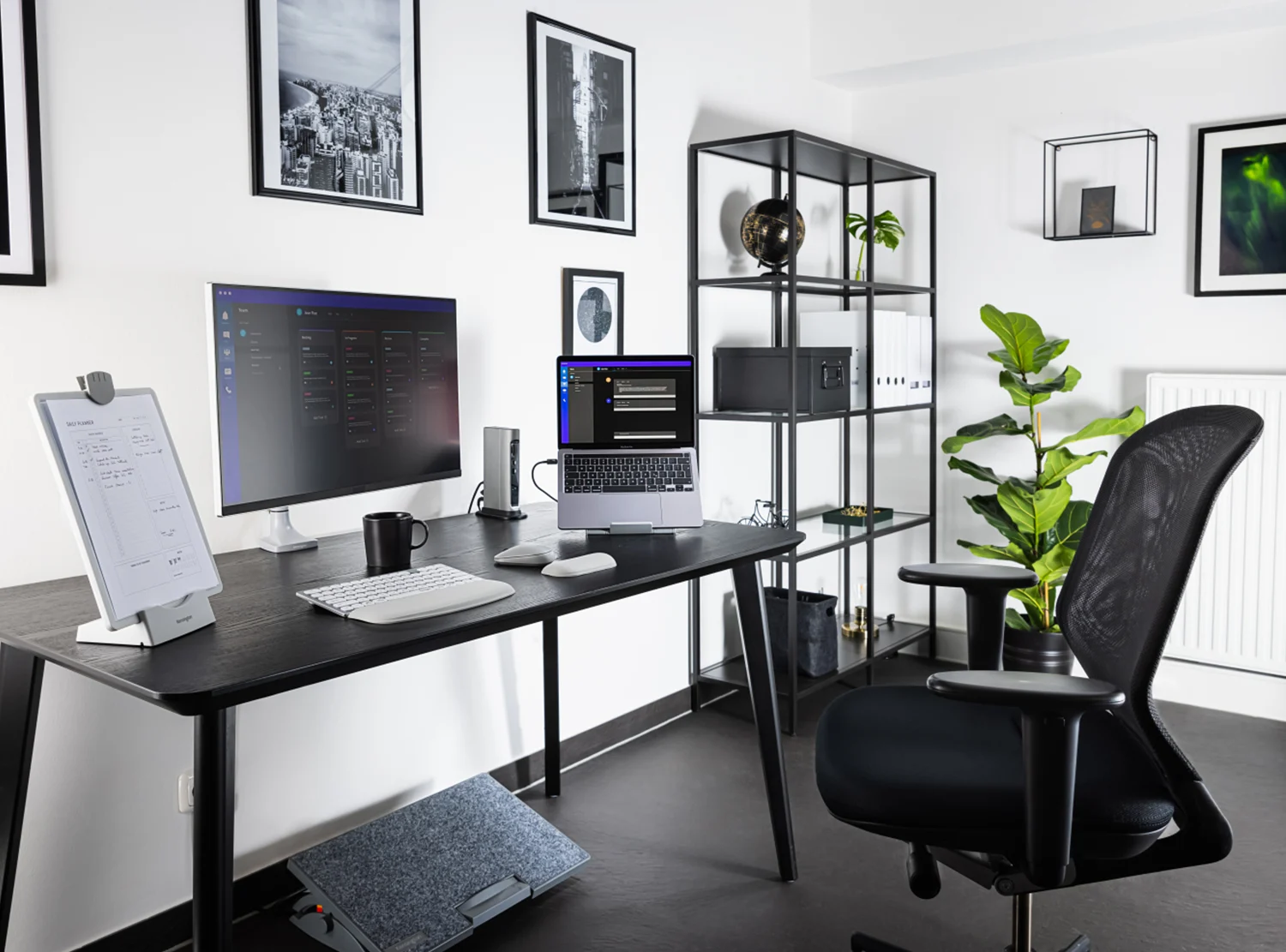
Long workdays should not end with neck stiffness, lower-back pain, or aching wrists. If they do, your setup — not your workload — is the problem.
This guide shows you exactly how to build an ergonomic home office that protects your body, preserves your energy, and allows you to work longer with less fatigue and fewer injuries.
Why Ergonomics Matters More Than You Think
Ergonomics is not about comfort — it is about performance and longevity. Poor posture and poorly positioned equipment slowly drain productivity by creating muscle tension, joint stress, and chronic fatigue. When your body is fighting your workspace, focus collapses and output suffers.
A proper ergonomic setup reduces physical stress, increases mental stamina, and prevents the slow accumulation of repetitive strain injuries that silently shorten productive careers.
The Real Source of Most Home Office Pain
Most home office pain originates from the same small set of problems: low monitors, unsupported lower backs, elevated shoulders, bent wrists, and static sitting for too many hours in a row.
Correcting these issues does not require extreme measures — it requires precise alignment of your desk, chair, screen, and input devices with the natural mechanics of your body.
The Ideal Sitting Position (Explained Simply)
Your body is designed to be balanced, not braced. A correct sitting position places your joints in neutral alignment so your muscles are not constantly fighting gravity.
- Feet rest flat on the floor
- Knees remain at or slightly below hip height
- Lower back is firmly supported
- Elbows stay near your sides at roughly 90 degrees
- Wrists remain straight, not bent
- Head stays stacked over shoulders, not pushed forward
If any one of these is off, tension begins to accumulate. Over weeks and months, that tension becomes pain.
Desk Height & Arm Position
Your desk height controls the position of your shoulders and spine. If your desk is too high, your shoulders elevate and your neck tightens. If too low, your spine collapses forward.
At the correct height, your forearms float parallel to the floor, your shoulders relax downward, and your wrists remain straight. This single adjustment alone eliminates a surprising amount of daily discomfort.
Chair Adjustments That Actually Matter
A proper chair does not simply support your body — it stabilizes your entire workstation. Set your chair in this order: seat height first, then lumbar depth, then seat depth, then armrests, then recline tension. Each adjustment builds on the last.
If your chair cannot make these adjustments, it is limiting your productivity and increasing injury risk.
Recommended Ergonomic Chairs
Browse high-quality adjustable chairs here:
Top Ergonomic Office Chairs on Amazon
Monitor Height & Eye Alignment
Neck pain is almost always a monitor problem. When your screen sits too low, your head drifts forward and your neck absorbs the load for hours at a time.
The top of your screen should sit at or just below eye level, about 20–30 inches from your face, directly in front of you. For dual monitors, center the primary screen.
Recommended Monitor Arms
Adjustable Monitor Arms for Perfect Screen Position
Keyboard & Mouse Positioning
Your hands should float effortlessly above your keyboard and mouse, with your wrists remaining straight and your forearms fully supported. Bent wrists and hovering elbows are the fastest route to wrist and shoulder pain.
Recommended Ergonomic Input Devices
Standing Desk Best Practices
Standing desks improve circulation and reduce prolonged spinal compression — but only when used correctly. Alternate between sitting and standing every 30–60 minutes. Keep your screen at eye level, elbows at 90 degrees, and feet supported with an anti-fatigue mat.
Recommended Standing Desks & Mats
Electric Standing Desks
Anti-Fatigue Mats
Eliminating Common Pain Points
Lower-back pain comes from missing lumbar support and collapsed posture. Neck pain comes from low monitors and forward head position. Shoulder pain comes from raised desks and armrests. Wrist pain comes from bent wrists and unsupported forearms.
Correct alignment resolves nearly all of these issues without medication or therapy.
5-Minute Daily Ergonomic Reset
Twice per day, stand up, move for one minute, roll your shoulders, rotate your neck, open your chest, stretch your hips, and re-check your workstation alignment. This simple habit prevents most long-term stiffness.
Final Thoughts
Your body is your primary work tool. Protect it. Optimize it. And your performance will follow.
1 comment
[…] home office layout establishes your physical and psychological operating environment. The desk should face into the […]
Comments are closed.