
Latest Update: January 20,2026
Check here for the latest pricing – CalDigit TS4 on Amazon
1. CalDigit TS4 Review Introduction: The One-Cable Grail
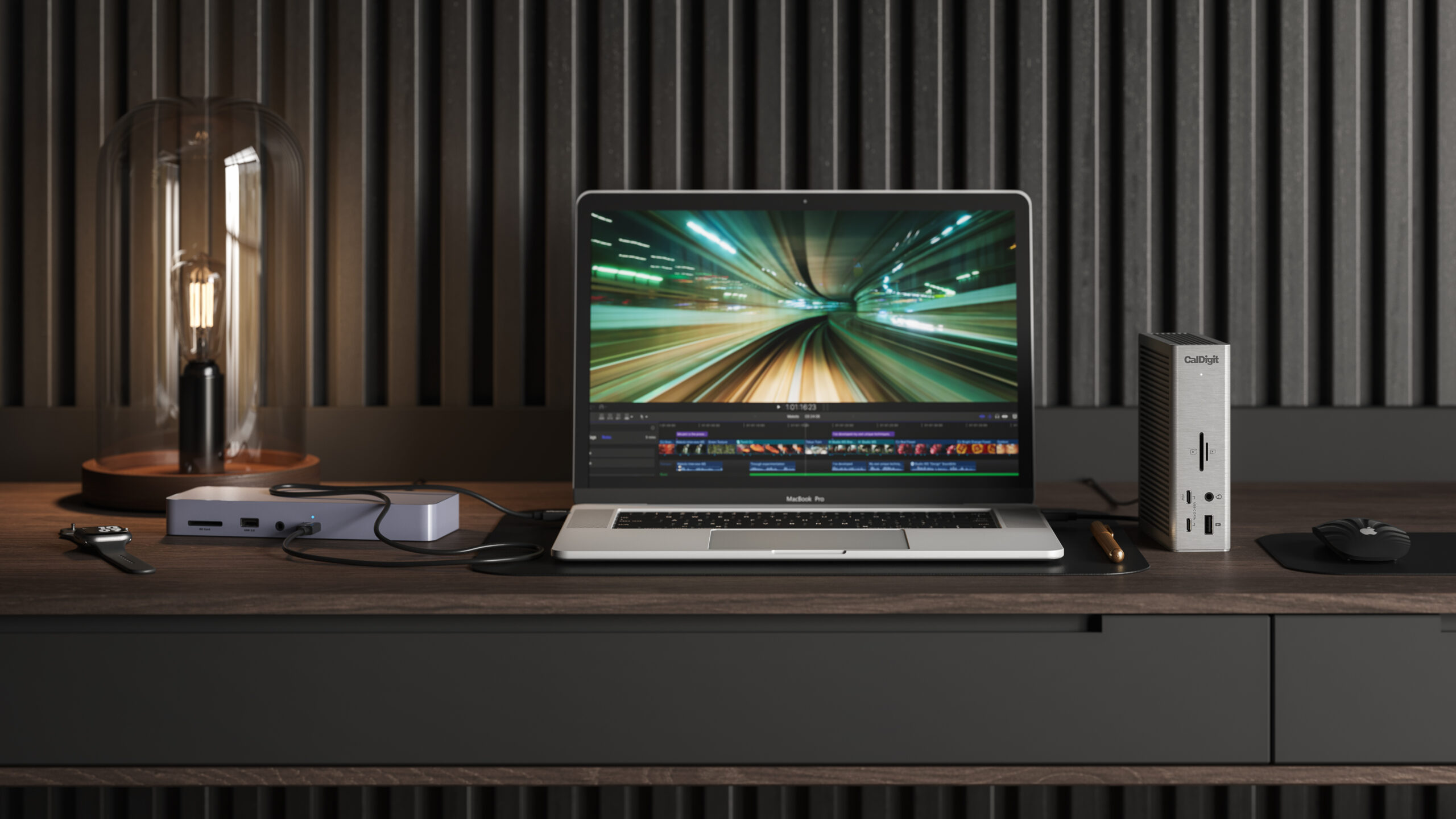
In the minimalist utopia sold by Apple marketing, the modern creative professional needs nothing more than a MacBook Pro and a single white cable vanishing behind a desk. In reality, that cable must connect to a brain capable of triaging a chaotic influx of data: 5K monitors, RAID arrays, mechanical keyboards, SD cards from a camera, and a 2.5GbE network connection, all while delivering nearly 100 watts of power back to the laptop to keep the lights on.
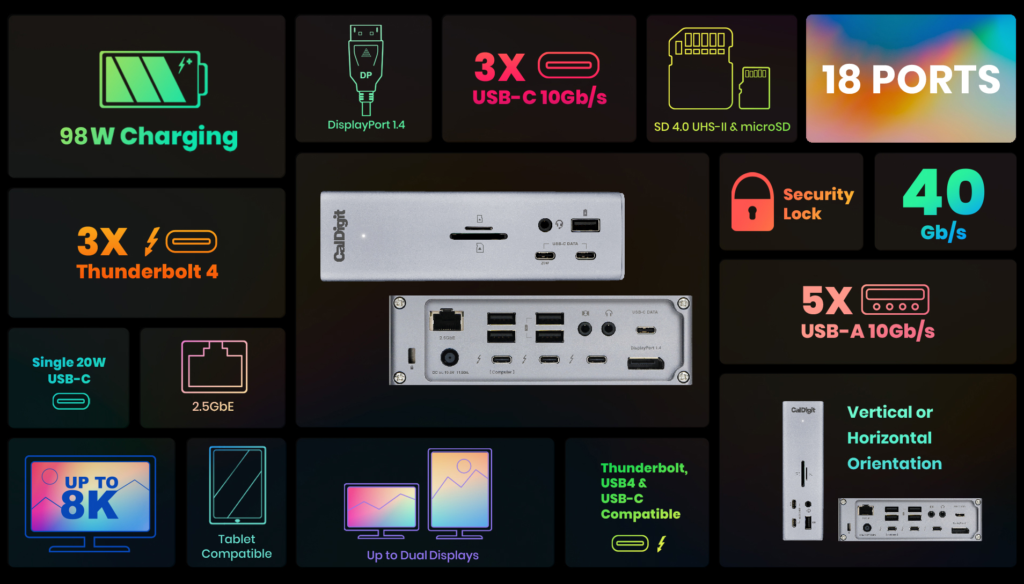
For the last three years, the CalDigit TS4 (Thunderbolt Station 4) has sat undisputed on the throne of this category. It is widely regarded as the “default” choice for Mac power users—the dock you buy when you are tired of researching docks. With a staggering 18 ports and 98W of power delivery, it promises to be the endgame solution for connectivity.
However, heavy lies the crown. With a price tag hovering near $400, expectations are astronomical. After years of firmware updates, macOS iterations, and competition from OWC and Anker, does the TS4 still justify its premium status in 2026? Or is it a relic coasting on reputation while plagued by specific, technical gremlins? This review dissects the hardware, the “sleep/wake” drama, and the Ethernet quirks that every buyer must know.
2. Design and Thermal Physics
2.1 The Monolith
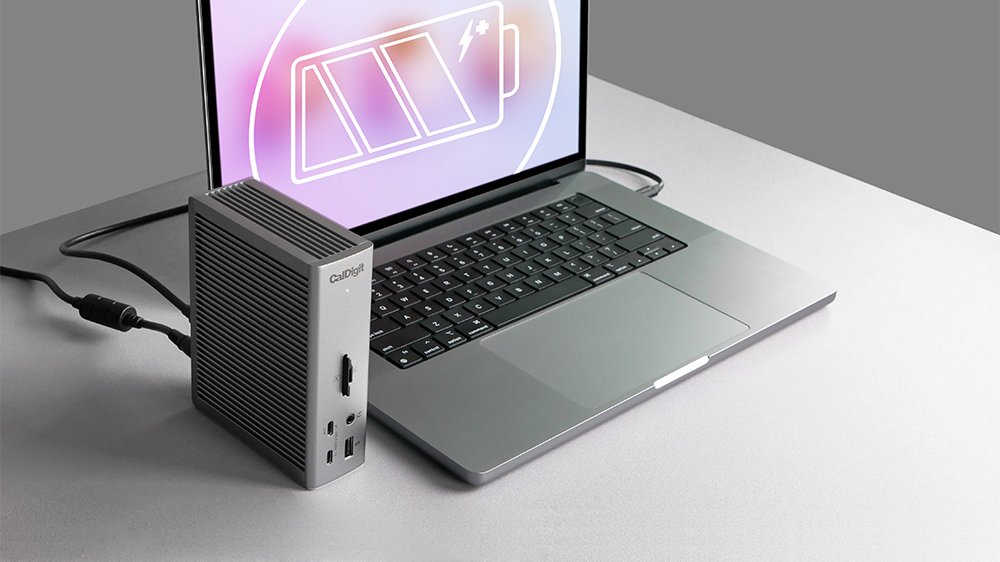
The TS4 retains the industrial design language of its predecessor, the TS3 Plus: a ribbed, aluminum chassis that looks like a heatsink because it is a heatsink. Unlike the sleek, flat slabs from OWC or Belkin, the TS4 is designed to stand vertically (though it can lay flat). This vertical orientation is critical for two reasons:
- Footprint: It occupies minimal desk real estate (roughly the size of a coffee mug).
- Thermals: The ribbed surface area maximizes passive cooling.
2.2 The Heat Reality
Make no mistake: The TS4 gets hot. In our testing, surface temperatures regularly reached 100°F – 105°F (38°C – 40°C) during normal operation. This is within the safe operating range (CalDigit rates it safe up to ambient temps of 95°F), but it is warm enough to be startling if you touch it unexpectedly. This heat is a byproduct of the Thunderbolt 4 controller and the power supply handling 18 active lanes of traffic. While alarming to some, the metal chassis is doing its job by wicking heat away from the internal chips. However, we strictly recommend not stacking anything on top of or against the TS4. It needs to breathe.
3. The 18-Port Ecosystem: Quantity and Quality
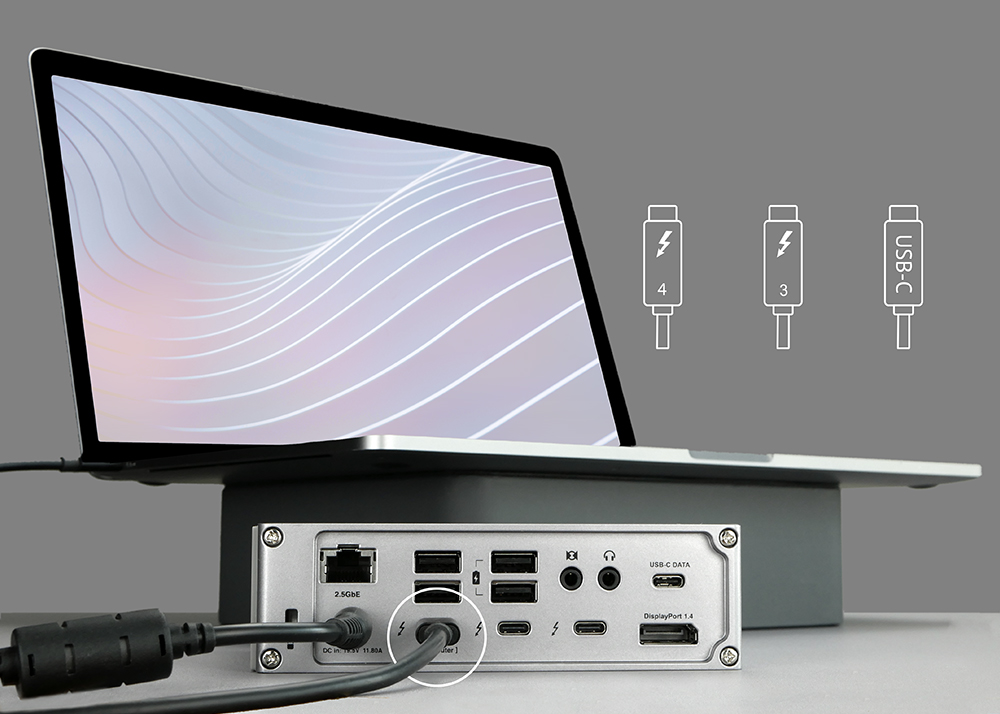
The selling point of the TS4 is not just that it has ports, but that it has the right ports.
3.1 The “Front of House” (Utility)
The front panel is designed for the “plug and go” workflow:
- 2x USB-C (10Gbps): One supplies 20W charging (great for MagSafe or phones), the other 7.5W data.
- 1x USB-A (10Gbps): Offline charging support.
- SD & MicroSD (UHS-II): Critical for photographers. Testing confirmed read speeds of ~280 MB/s with V90 cards, saturating the UHS-II bus.
- Audio Combo Jack (3.5mm): A convenient, if average, audio solution.
3.2 The “Back of House” (Infrastructure)
The rear is where the heavy lifting happens:
- 4x USB-A (10Gbps): For dongles, drives, and legacy gear.
- 1x USB-C (10Gbps): Additional high-speed data.
- 2x Thunderbolt 4 (Downstream): For daisy-chaining displays or fast SSDs (40Gbps).
- 1x DisplayPort 1.4: For the primary monitor.
- 2.5 Gigabit Ethernet: The future-proof networking standard.
- Audio In/Out: Separate jacks for older speaker setups.
The Verdict on Bandwidth: Unlike cheap USB-C hubs that split bandwidth until devices choke, the TS4 manages the 40Gbps Thunderbolt pipeline efficiently. We successfully ran a 4K display, a 10Gbps SSD, and an audio interface simultaneously without noticeable throttling.
4. The Ethernet “Gremlin”: The Intel i225-V Saga
This is the most technical and critical section for power users. The TS4 uses the Intel i225-V controller for its 2.5GbE Ethernet port. This chip has a notorious history of driver instability on both macOS and Windows.
The Symptom
Users often report their 1Gb or 2.5Gb fiber connection throttling down to 200Mbps or dropping packets intermittently. The dock negotiates the wrong speed with the router.
The Fix
If you experience this, the solution is almost always to disable “Energy Efficient Ethernet” (EEE).
- On macOS: You may need to go into Network Settings > Hardware and manually configure the port to “full-duplex” rather than “auto-negotiate,” or use a terminal command to disable EEE.
- On Windows: Device Manager > Network Adapters > I225-V > Advanced > Energy Efficient Ethernet > Disabled.
Once configured correctly, the port is rock solid, delivering sustained 2.3Gbps throughput in our NAS transfer tests. But out of the box, it can be a headache for the uninitiated.
5. Mac Compatibility and The “Dual Monitor” Matrix
The most confusing aspect of the TS4 is not the dock itself, but the limitations of Apple Silicon.
Scenario A: Base M1/M2/M3/M4 Chips (MacBook Air/Pro 13/14)
- These chips natively support only one external display via Thunderbolt.
- Exception: The M3 MacBook Air can support two displays only if the laptop lid is closed (Clamshell Mode).The TS4 handles this perfectly, routing one signal to DisplayPort and one to the downstream Thunderbolt port (using a USB-C to HDMI adapter).
Scenario B: Pro and Max Chips (M1/M2/M3/M4 Pro/Max)
- These chips natively support two external displays via a single Thunderbolt port.
- The TS4 can drive two 6K displays @ 60Hz (Pro/Max) with ease.
Scenario C: Windows PC
- Full support for dual displays (up to 4K 60Hz or single 8K), provided the laptop’s USB-C/TB4 port supports DisplayPort Alt Mode.
6. Power Delivery: The 98-Watt Standard
The TS4 provides 98W of sustained charging to the host laptop.
- Why 98W? Thunderbolt 4 technically maxes out at 100W for certification reasons relevant at the time of the TS4’s design.
- Real World Impact: This is enough to keep a 16-inch MacBook Pro (M3 Max) charged under heavy video editing loads. While the 16-inch Mac can technically draw 140W via MagSafe, 98W is sufficient for 95% of workflows. It eliminates the need to unpack your Apple brick.
7. Reliability: The Sleep/Wake Issue
In 2022 and 2023, the TS4 was plagued by a widespread issue where external drives would “eject improperly” when a Mac went to sleep. This caused data corruption anxiety for video editors.
Status in 2026: CalDigit released Firmware v39.1 specifically to address this. In our long-term testing with a MacBook Pro M3 Pro on macOS Sequoia (15.x), the issue is largely resolved. Drives stay mounted. However, users buying used units or old stock must update the firmware immediately using the CalDigit utility. Do not judge the dock’s stability until you are on v39.1 or later.
8. Competitive Landscape
CalDigit TS4 vs. OWC Thunderbolt 4 Dock
- Port Count: CalDigit (18) vs OWC (11).
- Power: CalDigit (98W) vs OWC (96W).
- USB-A: CalDigit offers 5x USB-A ports; OWC offers only 3x. This makes the TS4 superior for users with legacy peripherals (mouse, keyboard, dongles, mic).
- Price: OWC is typically $100 cheaper (~$220-$250 vs $379).
- Verdict: If you need the ports, CalDigit wins. If you just need a basic breakout box, OWC is the value pick.
CalDigit TS4 vs. OWC Thunderbolt Go
The “Go” dock has a built-in power supply (no brick), which is amazing for travel. The TS4 has a massive external power brick (almost the size of the dock itself). The TS4 is a stationary desk anchor; the Go is for hybrids.
9. Audio Quality (A Note for Audiophiles)
The TS4 includes front and rear audio jacks.
- The DAC: It uses a standard Realtek or C-Media USB audio chipset.
- Quality: It is “business class.” For Zoom calls and casual Spotify, it is fine. For critical listening or mixing, it lacks the driving power for high-impedance headphones (e.g., Sennheiser HD 600) and has a higher noise floor than a dedicated interface like a Focusrite or UA Volt.
- Recommendation: If you are an audio pro, use the TS4’s USB ports to connect a dedicated DAC/Interface. Do not rely on the built-in jack for mixing.
10. Conclusion: Still the King?
In 2026, the CalDigit TS4 remains the gold standard, not because it is perfect, but because it is the most uncompromising. It offers the highest port density, the highest power delivery, and a robust metal chassis that dissipates the immense heat generated by Thunderbolt 4.
It is expensive. It runs hot. It requires a firmware update out of the box to ensure sleep/wake stability. But once set up, it vanishes. It allows you to sit down, plug in one cable, and instantly connect to a command center of 18 devices. For the professional whose time is billed by the hour, that reliability is worth the $399.
Final Score: 9.0/10 Points deducted for the Intel Ethernet driver quirks and the massive external power brick.
Who Should Buy It:
- MacBook Pro users who treat their laptop as a desktop replacement.
- Creators with multiple hard drives and SD cards.
- Users who need 2.5Gb Ethernet.
Who Should Skip It:
- Travelers (get the OWC Go).
- Budget-conscious users (get the Plugable or OWC TB4 Dock).
- Windows desktop users (who likely have enough ports already).