
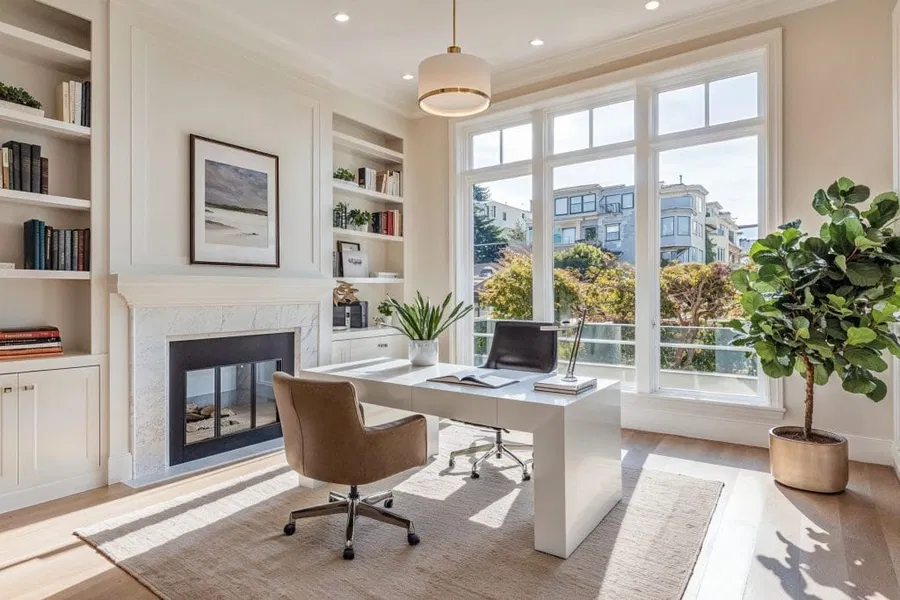
Your home office gear is not cosmetic. It is operational infrastructure. The equipment you use every day directly determines how long you can concentrate, how comfortable your body remains under load, how clearly you think, and how consistently you perform at a high level.
When the right gear is in place, work feels controlled, efficient, and sustainable. When it is not, every workday quietly becomes harder than it should be — more fatigue, more distraction, more physical strain, and less output.
This guide breaks down the best home office gear for productivity in 2026 through the lens of executive performance: how each category affects your nervous system, your body, and your ability to do serious work — and how to choose the right equipment at different budget levels.
Why Home Office Gear Matters at the Executive Level
High-value work depends on four conditions staying stable for long periods of time:
1. Physical stability — your body must remain supported and aligned without constant muscular effort.
2. Visual & sensory efficiency — your brain must not waste energy processing poor visuals, harsh light, or distorted sound.
3. Cognitive bandwidth — your environment must reduce friction, clutter, and unnecessary decisions.
4. Energy preservation — your equipment must support long work sessions without accelerating fatigue.
Every piece of gear in your office either strengthens or weakens one or more of those conditions. Over months and years, that difference compounds into major gains — or major losses — in performance.
Serious professionals therefore choose gear not by trend or aesthetics, but by its impact on focus, endurance, and health.
Desks & Movement: The Foundation of Productivity
Your desk is the physical anchor of your entire work system. Its height, stability, surface area, and adaptability determine posture, circulation, breathing efficiency, and cognitive endurance. When your desk is wrong, your body compensates — shoulders rise, the spine collapses, the neck migrates forward — and your nervous system burns energy simply to hold you together.
High-performing professionals treat the desk as performance equipment, not furniture.
Why Movement Drives Focus
The human body is not built for static posture. Prolonged sitting restricts blood flow, reduces oxygen delivery to the brain, and accelerates fatigue. Alternating between sitting and standing every 30–60 minutes measurably improves alertness, mood, and long-session endurance.
This is why standing desks have become foundational tools for serious work.
Good / Better / Best — Standing Desks
Good: Manual standing desk or fixed-height desk with correct dimensions and solid construction.
Browse fixed office desks
Better: Electric standing desk with programmable height presets and stable dual-motor frame.
Browse electric standing desks
Best: Premium motorized desk with ultra-stable frame, high load capacity, advanced cable management, and premium work surface.
Browse premium standing desks
Good / Better / Best — Fatigue & Standing Support
Good: Basic anti-fatigue mat.
Browse anti-fatigue mats
Better: Thick contoured ergonomic mat that promotes circulation.
Best: Advanced ergonomic mat combined with supportive footwear for maximum standing endurance.
When your desk system is engineered correctly, posture stabilizes, circulation improves, and work becomes physically sustainable across long, demanding days.
Chairs: Comfort, Endurance & Spinal Health
No piece of office gear has a greater long-term impact on productivity than your chair. It is the interface between your body and your work for thousands of hours every year. Poor seating quietly destroys focus by creating pain, muscular tension, and neurological stress that drains mental energy before the real work even begins.
Serious professionals choose chairs not for softness, but for mechanical support and biomechanical efficiency.
Why the Spine Controls Your Work Capacity
Your spine is the central axis of performance. When lumbar support is insufficient, the pelvis rotates backward, the upper back collapses, the neck migrates forward, and the entire musculoskeletal system is forced into compensation. Over time, this produces chronic pain, nerve compression, headaches, and accelerated fatigue.
A properly engineered chair maintains the natural S-curve of the spine, stabilizing the nervous system and preserving long-session endurance.
What Real Ergonomics Looks Like
True ergonomics means the chair can place your body into neutral alignment and keep it there effortlessly. This requires adjustability in seat height, seat depth, lumbar height and depth, armrest height and width, recline tension, and back angle.
Good / Better / Best — Ergonomic Chairs
Good: Adjustable ergonomic mesh chair with lumbar support and basic armrest and seat controls.
Browse ergonomic office chairs
Better: Advanced ergonomic chair with independent lumbar adjustment, adjustable seat depth, multi-axis armrests, and smooth recline.
Browse advanced ergonomic chairs
Best: Flagship executive ergonomic chair with full adjustability, dynamic lumbar support, advanced recline mechanics, and premium materials.
Browse premium executive chairs
When the chair is right, posture stabilizes, pain fades, and work capacity increases dramatically.
Displays & Visual Performance
Your visual system is the primary gateway through which work enters your brain. When your display setup is inefficient, your eyes, neck, and nervous system must compensate continuously. Over time this produces eye strain, headaches, neck pain, and a measurable decline in cognitive endurance.
High-level work therefore demands high-efficiency visual systems.
Why Monitor Placement Controls Posture
Your eyes drive your posture. When your monitor sits too low, your head migrates forward. Each inch of forward head movement dramatically increases the load on your neck muscles. Over hours and years, this quietly destroys spinal health and accelerates fatigue.
Correct placement keeps the head stacked over the spine and the nervous system in mechanical equilibrium.
Optimal Screen Geometry
Your primary display should place the top of the screen at or slightly below eye level, roughly one arm’s length from your face. The screen should sit directly in front of you so your neck remains neutral.
Most professionals perform best with either dual 27-inch monitors or a single ultrawide display, depending on workflow.
Good / Better / Best — Displays
Good: Single 27-inch 1440p monitor.
Browse 27-inch monitors
Better: Dual 27-inch monitors on adjustable arms.
Browse dual monitor mounts
Best: Ultrawide 38–49 inch display paired with a secondary vertical monitor for reference workflows.
Browse ultrawide monitors
Good / Better / Best — Monitor Arms
Good: Single adjustable monitor arm.
Browse monitor arms
Better: Dual-arm mount with full articulation.
Best: Premium gas-spring arms with precision height control and maximum stability.
When your visual system is engineered correctly, neck strain disappears, eye fatigue drops, and focus becomes dramatically easier to sustain.
Lighting for Focus & Eye Health
Lighting is one of the most underestimated productivity tools in any home office. Light is not simply about visibility — it is biological input. The brightness, color temperature, and distribution of light directly influence alertness, emotional stability, eye strain, and long-term cognitive endurance.
When lighting is wrong, your nervous system must work harder to interpret visual information. This increases fatigue and reduces the amount of deep, focused work you can sustain in a day.
Why Light Regulates Energy
Cooler, brighter light in the morning and early afternoon increases alertness and reaction time. Warmer tones later in the day reduce overstimulation and protect sleep quality. High-performing workspaces use layered lighting systems that adapt to this natural energy curve.
Good / Better / Best — Task Lighting
Good: Basic adjustable LED desk lamp with brightness control.
Browse LED desk lamps
Better: LED lamp with adjustable brightness and color temperature for precise visual comfort.
Browse adjustable color temperature desk lamps
Best: High-CRI professional task light with full brightness and temperature control for long-session eye health.
Browse high-CRI desk lamps
Good / Better / Best — Ambient & Contrast Control
Good: Soft room lamp placed behind the desk to reduce visual contrast.
Better: Dual-lamp setup combining task lighting and soft ambient fill.
Best: Full layered lighting system including task light, ambient fill, and bias lighting behind the monitor for maximum eye comfort.
When lighting is engineered correctly, your eyes remain relaxed, your mind remains clear, and your workday becomes dramatically more sustainable.
Audio & Video Conferencing Gear
In modern work, how you sound and how you appear on calls are no longer secondary considerations. They directly influence credibility, authority, and the efficiency of communication. Poor audio increases cognitive load for everyone on the call. Poor video lowers perceived professionalism even before you speak.
High-performing professionals treat audio and video gear as productivity tools, not accessories.
The Cognitive Cost of Bad Audio
When audio is distorted, compressed, or inconsistent, the brain must work harder to decode speech. This accelerates fatigue and reduces comprehension across long meeting days.
Good / Better / Best — Webcams
Good: 1080p HD webcam with autofocus.
Browse 1080p webcams
Better: 4K webcam with superior low-light performance and adjustable field-of-view.
Browse 4K webcams
Best: Mirrorless camera paired with capture card for broadcast-quality video.
Browse mirrorless cameras
Good / Better / Best — Microphones
Good: USB condenser microphone.
Browse USB microphones
Better: Broadcast-quality USB microphone with onboard noise rejection and processing.
Best: XLR microphone with professional audio interface for studio-grade sound.
When your communication tools are engineered correctly, meetings become shorter, clearer, and far less exhausting.
Productivity Accessories That Actually Matter
Small upgrades compound into major daily gains. The right accessories remove friction, stabilize posture, protect your body, and preserve mental energy. The wrong ones add clutter and distraction.
High-performing professionals choose accessories that quietly make work easier, cleaner, and more efficient.
Good / Better / Best — Monitor Positioning
Good: Basic monitor stand for raising screen height.
Browse monitor stands
Better: Adjustable monitor arm for precise height and distance control.
Best: Premium gas-spring monitor arm with full articulation and maximum stability.
Good / Better / Best — Input Comfort
Good: Standard keyboard and mouse with wrist rest.
Browse ergonomic keyboard & mouse combos
Better: Ergonomic keyboard with vertical mouse for reduced wrist strain.
Best: Split ergonomic keyboard paired with premium vertical mouse for long-session comfort.
Good / Better / Best — Power & Charging
Good: Multi-outlet surge protector.
Browse surge protectors
Better: Under-desk mounted power strip with cable routing.
Best: Integrated desk power system with wireless charging surface.
When the right accessories are in place, work flows instead of fighting you.
Budget vs Premium Office Builds
Not every professional needs the same setup — but every professional needs the right foundation. The difference between a budget build and a premium build is not about luxury. It is about how much stress, fatigue, and inefficiency your environment removes from your workday.
Below are three realistic tiers of office builds, each designed for maximum productivity at its price point.
Budget Build — $500 to $900
Designed for new professionals and remote workers building their first serious setup.
Includes: Good-tier standing desk, Good-tier ergonomic chair, single 27-inch monitor, adjustable LED task lamp, 1080p webcam, USB microphone, basic cable management.
Mid-Range Build — $1,000 to $2,000
Ideal for experienced professionals who spend the majority of their day working at their desk.
Includes: Better-tier electric standing desk, Better-tier ergonomic chair, dual 27-inch monitors on adjustable arms, adjustable color temperature lighting, 4K webcam, broadcast-quality USB microphone, full cable management system.
Premium Build — $2,500+
Built for executives, founders, and high-output professionals who demand maximum performance and long-term durability.
Includes: Best-tier motorized desk, flagship ergonomic chair, ultrawide display with secondary vertical monitor, professional lighting system, mirrorless camera with capture card, XLR microphone system, integrated power and storage solution.
The right build is not about status — it is about how effortlessly you can perform at your highest level.
Gear Picks by Job Type
Different types of work place different demands on your workspace. The best gear for a software developer is not the same as the best gear for a creative director or an executive. High-performing professionals tailor their setups to the actual work they do.
Remote Professionals & Knowledge Workers
Priority: long-session comfort, visual clarity, clean audio for meetings.
Recommended focus: Better-tier desk, Better-tier chair, dual monitors, broadcast USB microphone, layered lighting.
Executives & Managers
Priority: professional presence, communication clarity, decision endurance.
Recommended focus: Best-tier chair, Best-tier desk, ultrawide display, premium lighting, mirrorless camera, XLR microphone system.
Creators & Content Producers
Priority: camera quality, audio fidelity, lighting control, visual aesthetics.
Recommended focus: Premium lighting system, mirrorless camera, broadcast microphone, adjustable desk, integrated cable management.
Developers & Engineers
Priority: screen real estate, posture stability, long-session endurance.
Recommended focus: Dual or ultrawide displays, premium chair, adjustable desk, ergonomic input devices.
Matching your gear to your work dramatically increases both output and satisfaction.
Buying Tips & Mistakes to Avoid
Most home office mistakes are not caused by under-spending — they are caused by spending in the wrong order.
Common Mistakes
Buying cheap chairs. This keeps you in pain and destroys productivity.
Undersized desks. These force cramped posture and inefficient workflows.
Poor lighting. This causes eye strain, fatigue, and mood instability.
Ignoring cable management. Visual clutter creates cognitive clutter.
Over-investing in aesthetics before ergonomics.
Smart Buying Strategy
Always invest first in the components that directly support your body and nervous system: chair, desk, display, lighting, audio. Accessories come last.
Choose gear for durability and adjustability. High-quality equipment lasts years and pays for itself many times over.
The right buying strategy eliminates frustration and creates an environment where work feels controlled and sustainable.